
PaceMate - Your iRacing Companion
PaceMate sits on top of iRacing and compares your driving in real time against a reference lap of your choosing — your own, someone else's, or that of an opponent you just passed. You don't just see that you're losing time. You see where, and why.
Already have an account? Sign in
PaceMate doesn't compare you to abstract best times — it compares you to one specific lap that you choose yourself. Every readout answers the same question: where do I stand against this lap — right here, right now?
.ibt files from your iRacing folder — every lap of a recording can be picked individually, not just the fastest one.
.csv files, for example from Garage 61 — load a pro's fast lap and compare yourself directly against it.
Laps of other drivers, recorded live into your own library — still usable weeks later.
PaceMate detects when the loaded lap doesn't belong to the current track, and tells you — instead of showing you false deltas.
After every pit exit, the reference automatically switches to the next lap in the same file. No manual reloading.
The reference time is interpolated between measurement points, so the delta doesn't jump in steps.
The four readouts that show you instantly whether you're gaining or losing time right now.
Once you know you're losing time, PaceMate wants to show you why, too — with a direct comparison of your input against the reference lap's.
The two braking overlays can each be shown twice — handy when two braking points are close together, or with two monitors.
These two readouts work instantly, even with no reference lap at all — so PaceMate shows you something from your very first launch.
These analyses appear and disappear automatically with the replay — you don't have to switch anything.
The app doesn't ask "which channels do you want to see" — it asks "what are you doing right now?" — and turns on the matching set of overlays with one click.
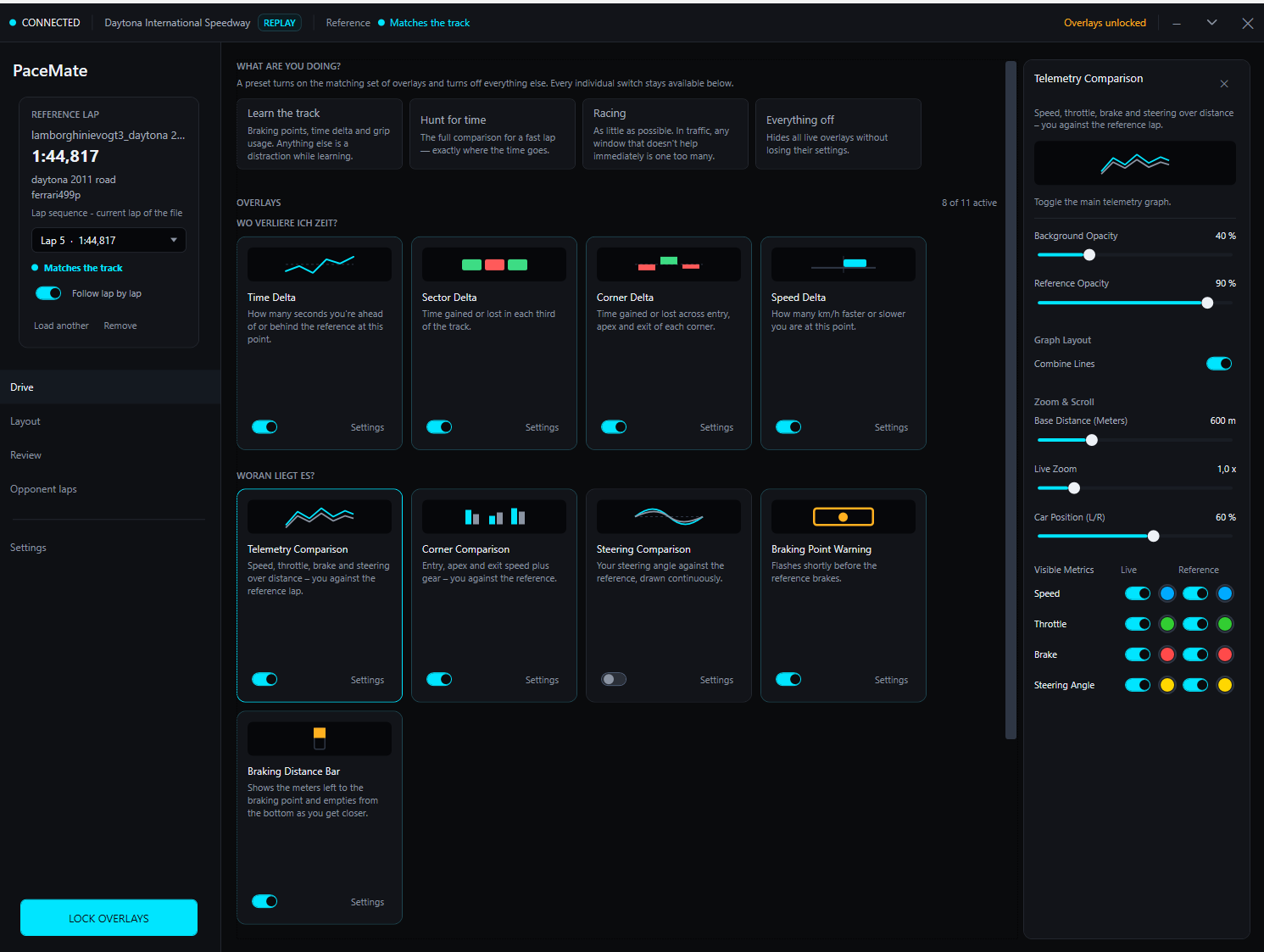
Braking points, time delta and grip usage. Anything else would be a distraction while learning.
The full comparison for a fast lap — exactly where the time goes.
As little as possible. In traffic, any window that doesn't help immediately is one too many.
Hides all live overlays without losing their settings.
PaceMate records other drivers' laps in the background while you're in a session — and loads them later as a reference, even weeks afterward.
Matched via the stable iRacing customer number instead of the display name. With favorites, search by name/car number/car, and a filter for the current session.
iRacing only exposes track position and lap number for other cars in live sessions — so no speed, steering or line comparisons with driver laps.
All overlays as rectangles on a view of your actually connected monitors — with a grid, resizing, and a "center on screen" function.
Every update is cryptographically verified (ECDSA-P256 + SHA-256) before anything is downloaded or executed.
If the license server is ever unreachable, PaceMate keeps running for 7 days.
Your license key is stored encrypted on disk (Windows DPAPI), never in plain text.
Recorded laps and settings live exclusively on your own machine.
Final prices. Under § 19 of the German VAT Act (small business rule) no VAT is charged and none is shown on invoices. The monthly plan renews monthly and can be cancelled at any time with effect from the end of the billing period; the yearly plan runs for 12 months and then ends by itself. Details in the terms.
PaceMate is currently in closed beta and free for all beta testers.
So you know exactly what to expect.
No — grip usage and G-forces work instantly. All comparison readouts need one, and your own telemetry recording from iRacing is enough for that.
PaceMate records them in the background while you're in the same session. Only the data iRacing already exposes for other cars is stored — track position and time. So time delta and sector delta, no speed or steering curves.
The overlays are deliberately lightweight and can be hidden individually or all at once with a keypress.
PaceMate keeps running for 7 days without an internet connection after its last successful check.
Yes. The Layout Editor shows your actually connected screens, and you place every overlay exactly where you want it.